Brain Tumor Detection on YOLOvX App
Imagine a hospital where doctors are faced with the daunting task of reviewing hundreds of MRI scans each day to detect brain tumors. Early diagnosis is critical for many patients, yet it can be difficult to catch all potential signs with the human eye.
Introducing our Brain Tumor Detection System, powered by YOLOvX. It highlights suspicious areas, providing the doctor with an instant second opinion.
In regions with fewer specialists, this system can be a lifeline. A small clinic in a remote area could use the same technology to screen patients for diseases.
For further details on training a custom model, please refer to this Kaggle notebook:
Once you are satisfied with the model performance you can now simply download the model from the Output directory and upload it to the YOLOvX App. Now simply RUN.
Model Owner Steps
- Upload the Model, 2. Wait for the Model to be Converted and Uploaded, 3. Just put the email ID to be shared with, 4. Check Model Info
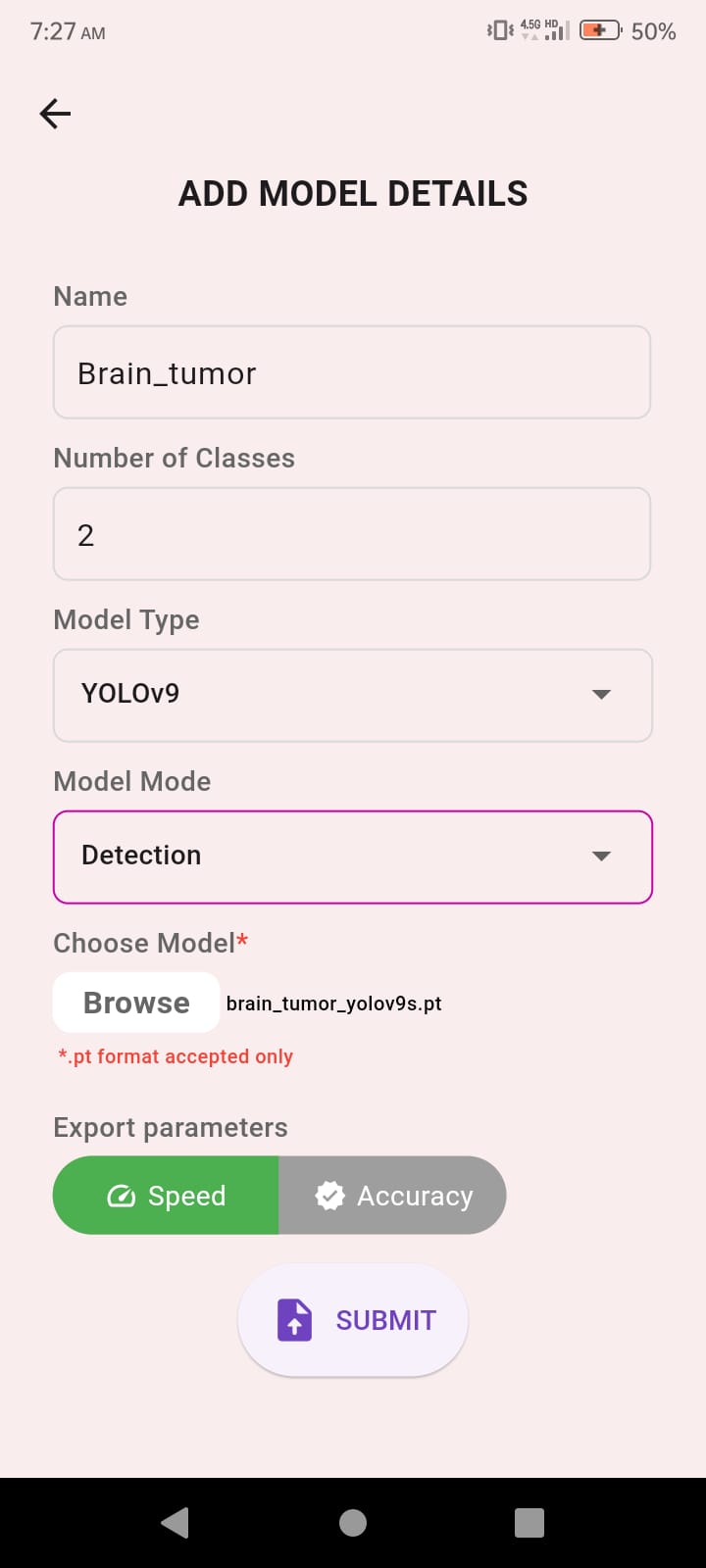

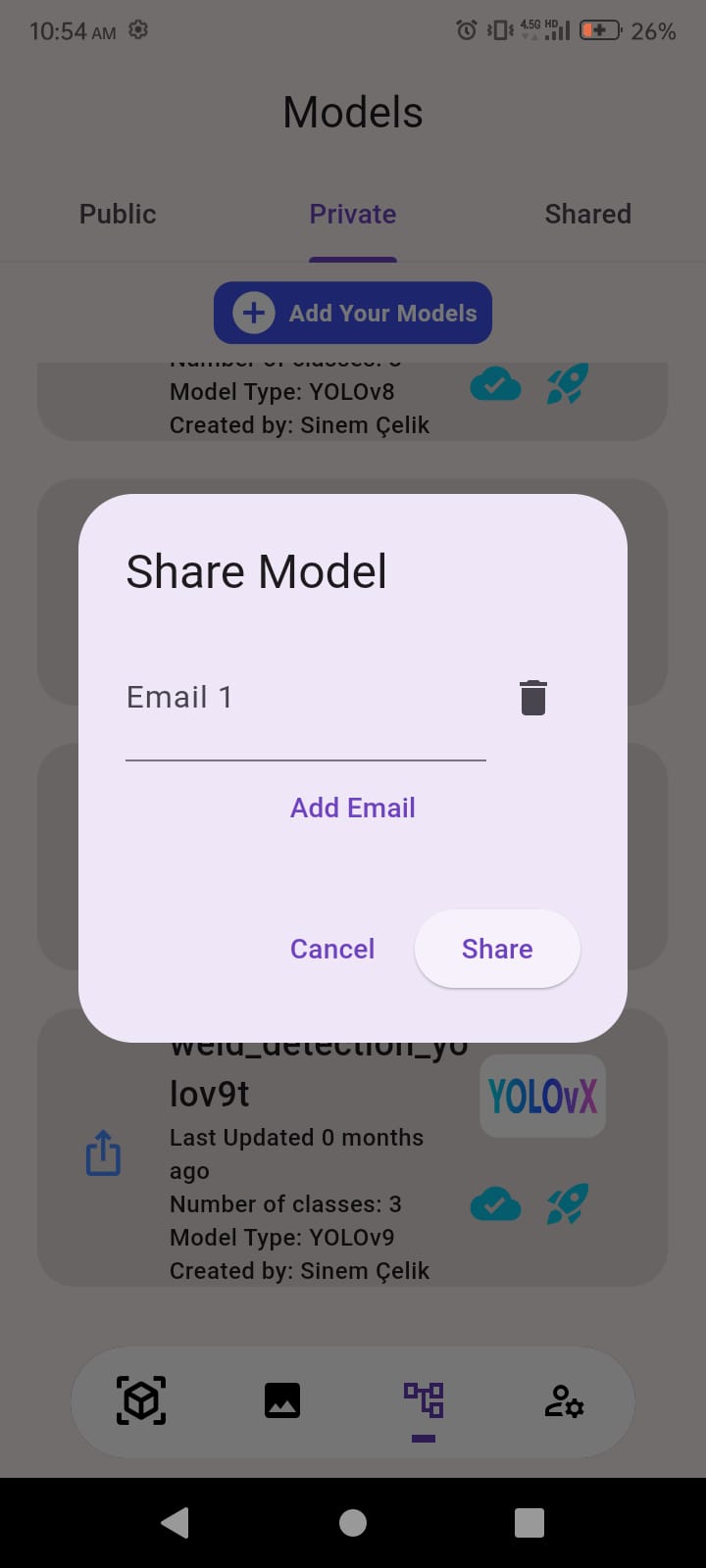
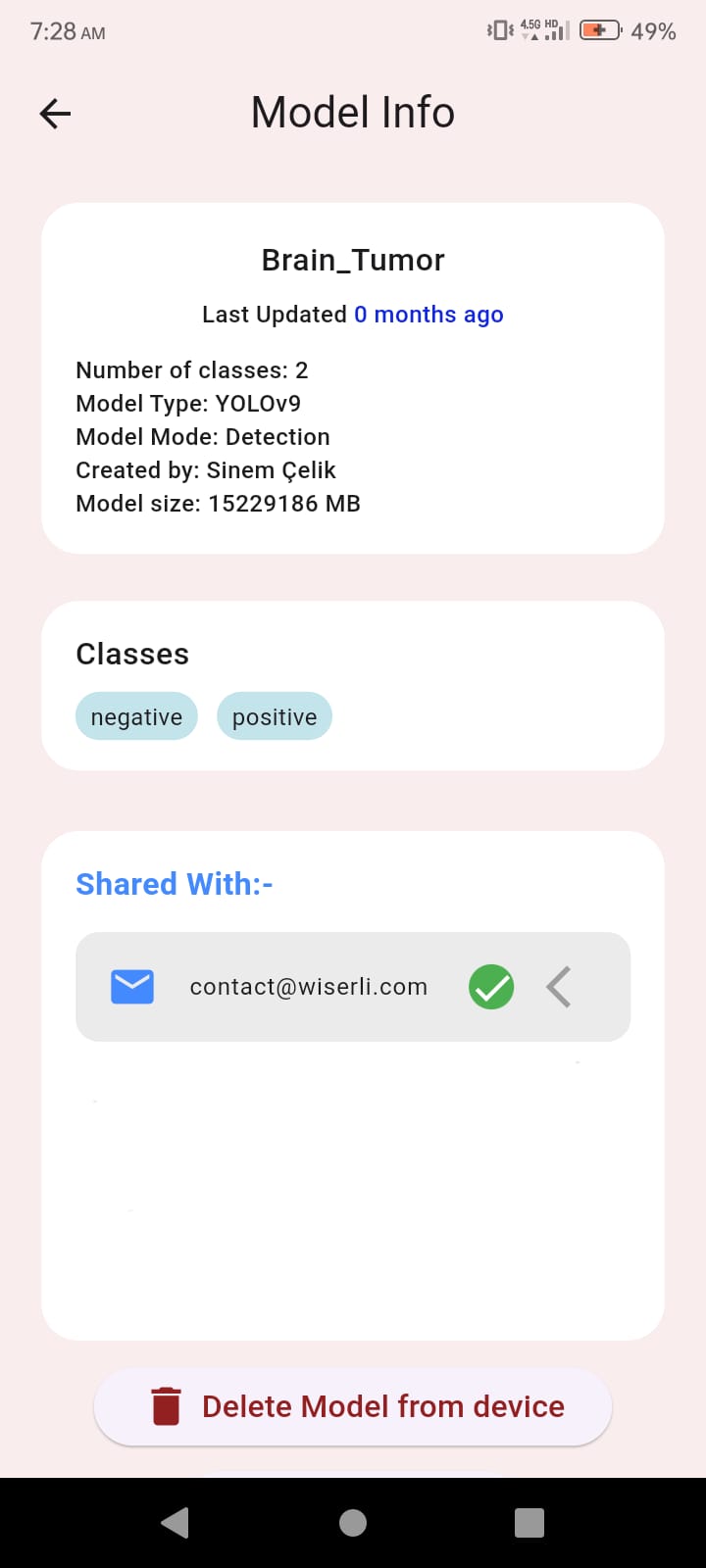
Real-time Inference
Enjoy Real-time inference on your mobile phone
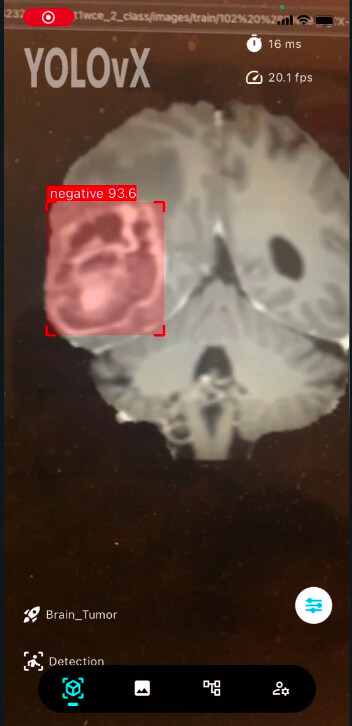
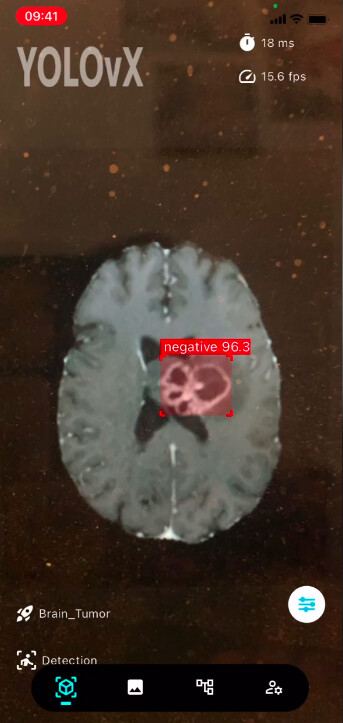
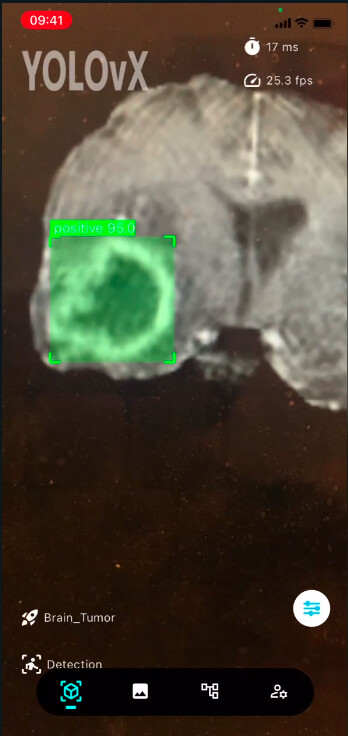
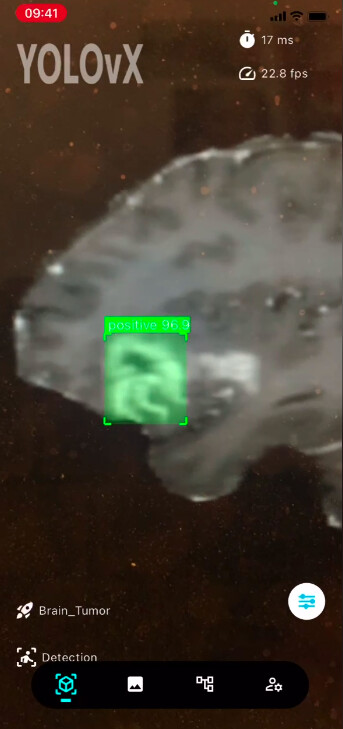
This technology helps bridge the gap between busy hospitals and clinics in underserved areas, ensuring that more patients can be screened quickly. By supporting doctors with AI-driven insights, the Brain Tumor Detection System improves the efficiency of diagnosis, helping to catch potential issues early. While it doesn’t replace human expertise, it offers a valuable tool that assists in providing better care, especially in places where medical resources are limited.